How to Clean Your Keyboard Without Breaking It
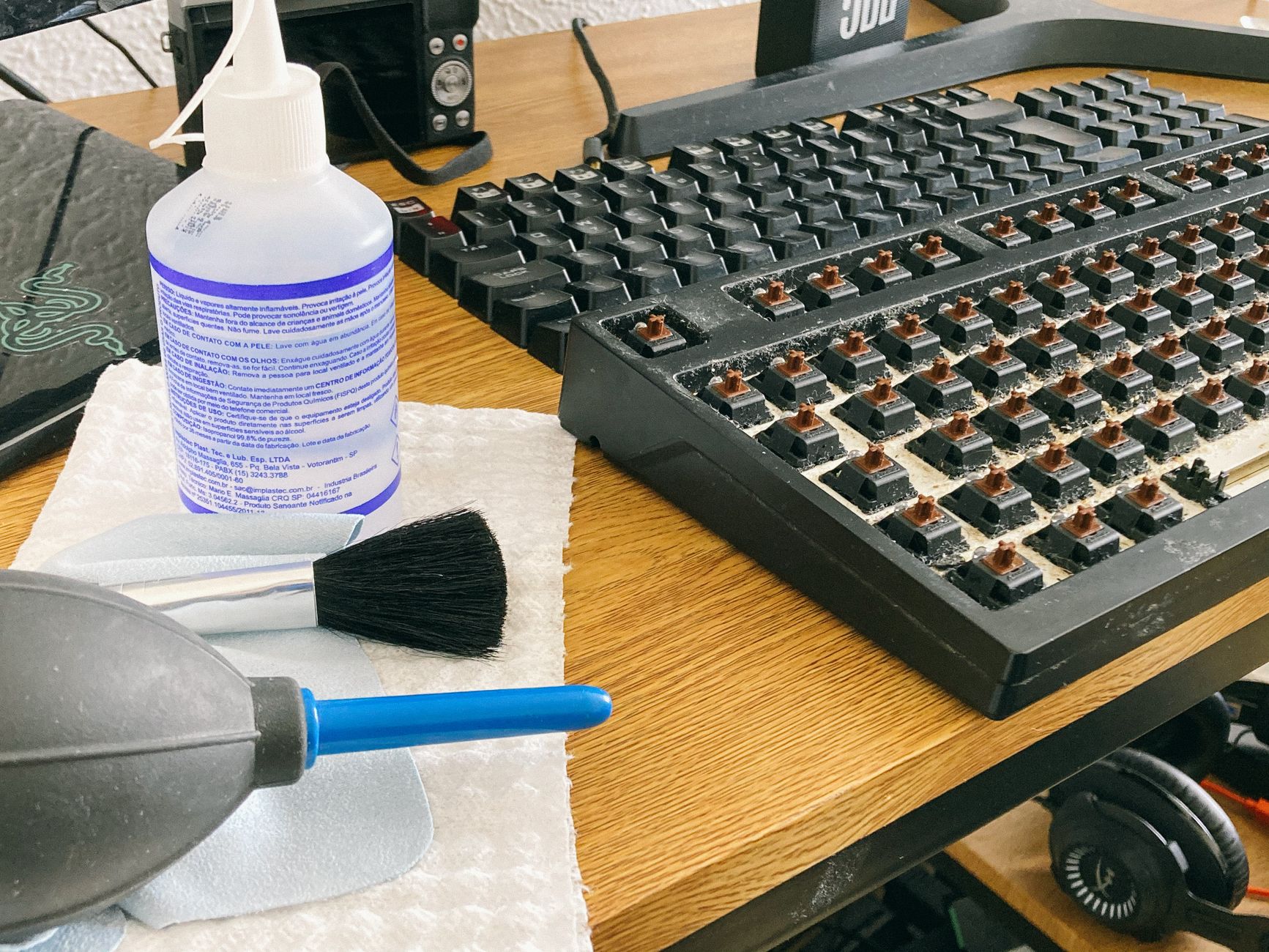
I once spilled an entire mug of coffee across my mechanical keyboard. I yanked the USB cable so fast I pulled the whole PC tower forward. The keyboard sat there, dripping brown liquid onto my desk mat, and I just stared at it like a pet that had gotten hit by a car. Then I spent four hours learning how to actually clean a keyboard properly.
It survived. Here is the method, from daily maintenance to disaster recovery.
Weekly Quick Clean: Compressed Air + Brush
Unplug the keyboard. Hold it upside down over a trash can and shake gently—you will be horrified by what falls out. Use compressed air at an angle, not straight down, to blow debris out from under the keys rather than deeper in. Follow with a soft brush—a clean makeup brush works perfectly—to sweep remaining dust from between the keys.
Deep Clean: Remove Keycaps
For mechanical keyboards, buy a keycap puller—they cost about five dollars and prevent you from snapping the stems off your switches. For membrane keyboards, check if the keys are designed to be removed first. Many laptop keyboards have scissor-switch mechanisms that are not user-replaceable. Take a photo of the keyboard layout before removing anything. You will not remember where all the keys go.
Soak the keycaps in warm water with a drop of dish soap for thirty minutes. Dry them completely—overnight on a towel is best—before reinstalling. Any moisture left in a keycap can short a switch.
Spill Emergency Protocol
Unplug immediately. Flip the keyboard upside down so liquid drains out instead of down into the circuit board. Do not shake it—let gravity do the work. Leave it upside down for at least 24 hours, ideally 48. Put it near a fan, not a heater. Heat can warp plastic and damage electronics. For sticky spills like soda or coffee, you will need to remove the affected keycaps and clean the switch mechanism with isopropyl alcohol and a cotton swab.
My coffee-soaked keyboard made a full recovery. It is still on my desk right now, two years later. The space bar is slightly stickier than the others. I consider that a souvenir.
📋 Quick Summary: Weekly: compressed air at an angle + soft brush. Deep clean: keycap puller + warm soapy water soak, dry overnight. Spills: unplug instantly, flip upside down, let gravity drain for 48 hours near a fan. Take a photo before removing keys.