I Added Two Monitors to a Laptop With One HDMI Port. It Is Ridiculously Easy.
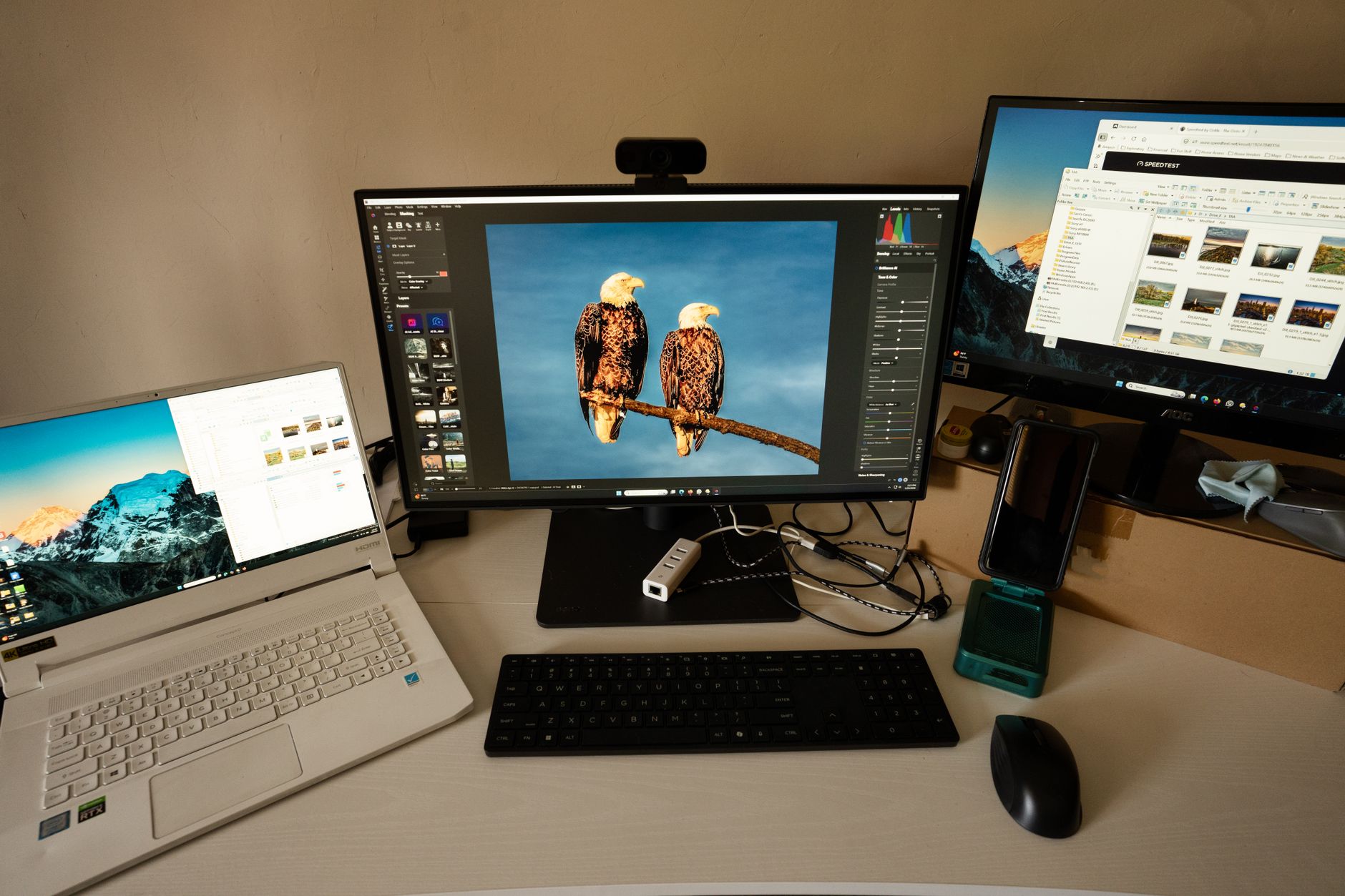
My laptop has exactly one HDMI port. For years I assumed that meant one external monitor, end of story. I worked with a laptop screen and a single monitor like someone living in 2012.
Then I discovered I could run three screens total—laptop plus two externals—with the single HDMI port I already had. It took a $25 adapter and five minutes of setup.
The Two Ways to Do It
Method 1: USB to HDMI Adapter (Best for Most People)
Plug a USB-A to HDMI adapter into a USB port. It contains a tiny graphics chip that creates a second video output. Install the driver (automatic on Windows, manual download on Mac), plug in your monitor, done.
This costs $15–30 and supports 1080p at 60Hz easily. For office work, spreadsheets, coding, and browsing, it is perfect. For 4K or gaming, you will want Method 2.
Method 2: USB-C Dock With Dual HDMI (For USB-C Laptops)
If your laptop has a USB-C port with DisplayPort Alt Mode (most laptops from 2019 onward), a USB-C hub with dual HDMI can drive two external monitors through one port. Plug the hub into your USB-C port, connect both monitors to the hub’s HDMI ports. The laptop recognizes them as separate displays.
What to Check Before Buying Anything
Mac users: MacBooks with the base M1 or M2 chip only support one external display natively. The M1/M2 Pro supports two, Max supports three or more. Check your specific chip before buying adapters—DisplayLink adapters can bypass this limit but add slight latency.
Windows users: Most Windows laptops support at least two external displays. Check your laptop model on the manufacturer’s site under “display output support.”
I now have my email on the laptop screen, my main work on the center monitor, and reference docs on the right monitor. My neck no longer hurts from constantly Alt-Tabbing. Best $25 upgrade I have ever made to my desk.
Quick Summary: Use a USB-to-HDMI adapter ($15-30) for a second external monitor or a USB-C dual HDMI hub for two. Check your laptop’s display output limits—base M1 Macs only support one external monitor.